

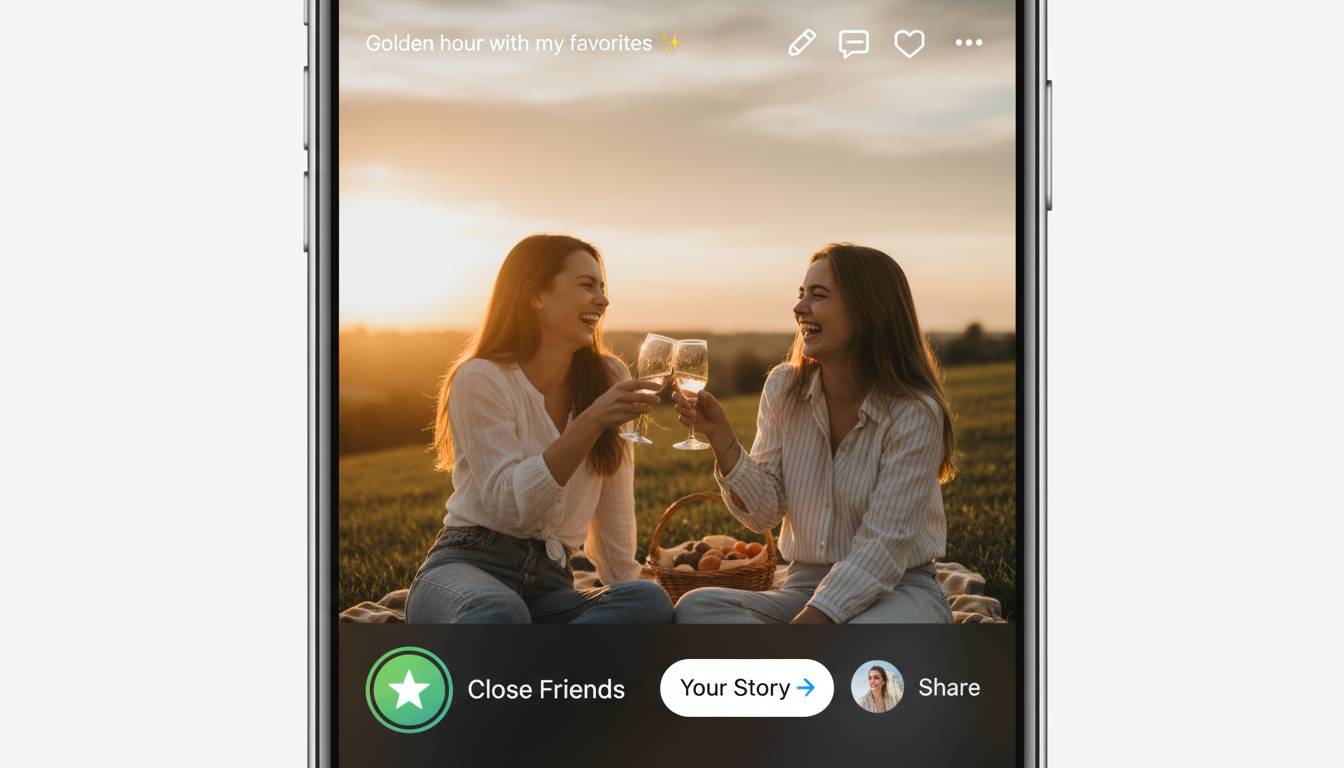
Close Friends on Instagram is a built-in feature that lets you share your Stories with a select group of people—your private list. It’s simple: add people to your Close Friends list, post your Story, and only those you’ve chosen see it. Easy, private, stress-free.
Why Use Close Friends: The Value of Private Sharing
Most of us feel the itch to share certain moments only with a trusted circle. Close Friends answers that. You stay visible but selective. It’s especially handy if:
- You want to keep personal posts limited to family, not coworkers.
- You test new ideas—say, outfit picks or recipe trials—without sharing with everyone.
- You nurture relationships with transparency, not oversharing publicly.
This feature embraces balance. You maintain presence and authenticity, with a dash of privacy.
How to Set Up Your Private List
Step-by-step quick guide
- Tap your profile picture in the top right.
- Head to “Close Friends” (it may be under the menu).
- Select the people you’ll trust with Stories content.
- Tap “Done.” That’s it.
Once set, any Story shared to Close Friends gets a green ring instead of the usual pink-purple gradient. It’s a subtle cue. Viewers know it’s private. You know it’s private.
Real-life example
Sarah, a fitness instructor, uses Close Friends to share behind-the-scenes clips and blooper moments. She can be herself—no moisturizing-mask-perfect videos, just real effort. Her clients love the honesty, and she stays protected from judgment.
Managing Your List: Keep It Relevant
Your personal circle evolves—so should your Close Friends list. Revisit it every few weeks. Actively manage:
- New friends or followers
- People you want to remove
- Small group projects or breaks
To adjust your list, just head back to the Close Friends menu and add or remove names. Instagram won’t alert people when you make these edits. That keeps it drama-free. No awkwardness.
Pros and Cons of Using Close Friends
What’s great
- Privacy on your own terms. You control who sees specific Stories.
- Contextual messaging. You can tailor Stories to your private group—more relatable, less polished.
- Drama avoidance. Removing someone is private.
What you lose
- Less reach. Some content isn’t available to your full audience.
- List fatigue. It’s easy to forget who’s on your list if you don’t revisit it.
- Mistaken posting. You might post to Close Friends by accident, or vice versa. It happens.
Tips to Optimize Use Without Missteps
Keep it simple
Start with just a handful of people. It reduces management friction. Plus, it keeps the vibe intimate.
Segment mentally
Think of your list as “inner circle.” Maybe it’s family, best friends, or your mastermind group. Having a clear mental category helps you stay intentional.
Use it for storytelling arcs
Instead of random posts, post like you’re on a micro-shared journey. Example: wellness challenge updates among close peers builds real connection.
Recheck before every 3–4 posts
You don’t need to do a full audit every day. But giving it a quick glance keeps your intentions aligned.
Technical Tips and Hidden Traps
Watch out for cross-post slip-ups
If you tend to cross-post across platforms, be sure you don’t accidentally publish private posts publicly elsewhere. Slow double-checking saves embarrassment.
Archiving still works with Close Friends
Just because you post privately doesn’t mean it disappears after 24 hours. You can still archive these Stories and revisit them later.
Third-party tools beware
Sometimes people use apps for scheduling or analytics. Make sure they’re compatible with Close Friends—otherwise your private posts might leak.
Expert Insight
“Close Friends gives users both intimacy and control. It’s not about hiding—it’s about sharing more meaningfully.” – Social media strategist Renee Ellis
Her point resonates: privacy isn’t hiding, it’s choosing who sees what matters.
Use Cases in Real Context
Micro-launch testing: A food blogger tests a new recipe on Close Friends before public launch. Feedback’s honest and actionable.
Family-first sharing: A parent shares unfiltered daily moments with grandparents—no filters, no stress, just connection.
Support group building: Someone going through recovery shares real-time updates with a few trusted peers—emotionally safe space without oversharing.
These show how flexible Close Friends can be. Not just fun—it’s practical.
Conclusion
Close Friends Instagram lets you share selectively without overthinking. It combines authenticity and ease, with minimal drama. Use it thoughtfully, revisit your list, and tailor content for intimacy. It’s a simple tool—but powerful if used with purpose.
FAQs
Q: Can people see when they’re added or removed from my Close Friends list?
No. Instagram doesn’t notify users when they’re added or removed. It stays private and discreet.
Q: Are Close Friends Stories public?
No. Only the people you select can see those Stories. They’re invisible to everyone else.
Q: Can I schedule Close Friends Stories using third-party apps?
Some compatible tools may let you, but many don’t support the Close Friends feature. Always confirm tool capability before posting.
Q: Do Close Friends gets archived like regular Stories?
Yes. Close Friends Stories go into your Story archive unless you delete them. You can revisit privately later.
Q: How often should I update my Close Friends list?
Every few weeks or based on shifts in your circle. That keeps it relevant without overloading you.
Q: What’s a good use case for Close Friends beyond personal updates?
Think micro-testing ideas, feedback loops, or offering exclusive moments—like behind-the-scenes clips—to strengthen small-group bonds.

















Leave a comment